itz_PlayI
A downloadable tool for Windows
itz_playI — v0.5
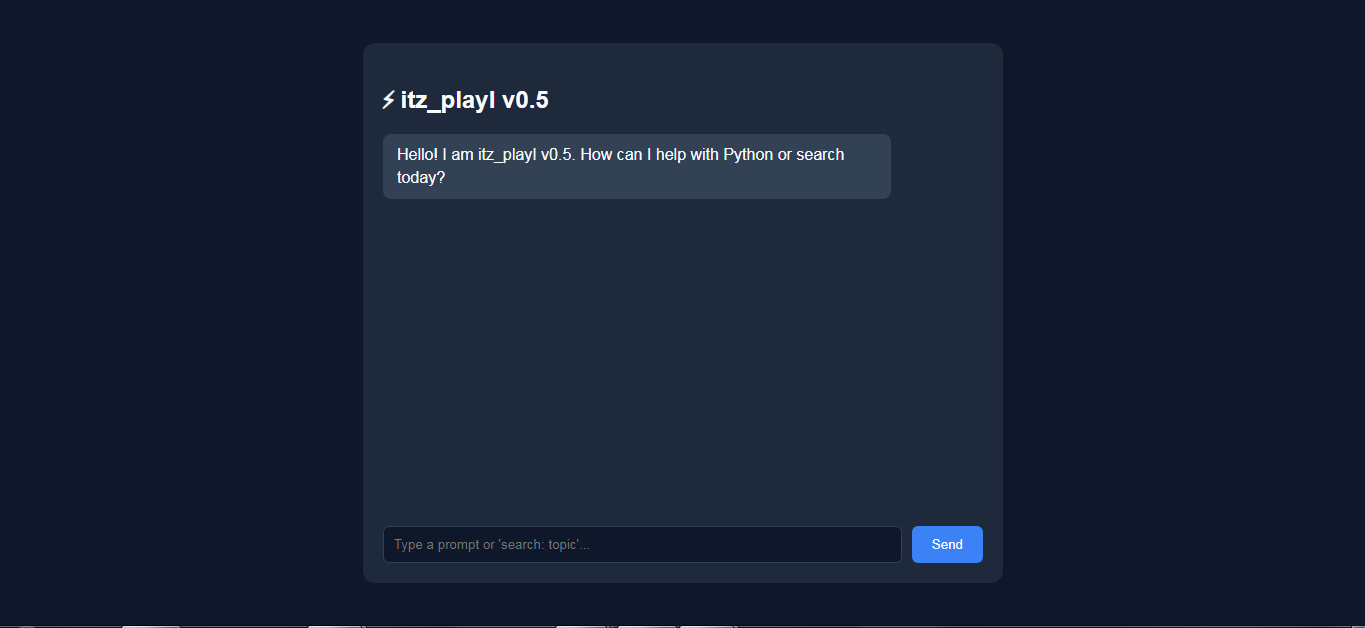
Welcome to itz_playI, a Python-powered AI with a simple web-based interface, built as an early version of my larger AI project.
✨ Features
- Python-powered AI
- HTML/CSS web interface
- Flask-based local server
- Coding-focused conversations
- Designed to work with programming and code-related tasks
- Runs locally on your computer
🚧 v0.5 — Early Access
itz_playI is currently in Early Access, so you may encounter bugs, incomplete features, or unexpected behavior.
The AI can also make mistakes or provide incorrect information. Always check and test any code or information it gives you before using it.
More features, improvements, and updates are planned for future versions.
💻 Requirements
- Windows PC
- Internet connection may be required for features that use online services
- No Python installation is required for the packaged version
📦 How to Run
- Download the ZIP.
- Extract it.
- Open
app.exe. - Open the local address shown by the application in your browser.
Thanks for trying itz_playI v0.5! 🚀
How to Download & Run on Your PC
- Download the project .zip file from the Downloads section below.
- Extract (unzip) the folder anywhere on your computer (e.g., your Desktop or
C:\drive). - Double-click
desktop_main.exeinside the folder to launch the assistant directly on your desktop!
How to Use the AI Assistant
Welcome to the new version of the AI Assistant! This desktop tool allows you to perform live web searches, request side-by-side comparisons, and ask questions right from your PC without needing a browser host.
To search the live web for real-time information, you must use the search: command prefix. Important Note: Make sure there is no space immediately after the colon (:) before typing your search query. For example, to search for Google, type search:what is google (not search: what is google). After that first word, you can space out the rest of your sentence normally! You can also ask for comparisons like "Gemini vs ChatGPT" or general questions directly, and the AI will analyze and format the answers for you. Enjoy testing!
Download
Comments
Log in with itch.io to leave a comment.
play it on browser you will get dist file in that click on app file and then there will be a app looks like a snake like python click on it you will get a IP address run it on browser (for eg. http:// 127.0.0.1 : 5000)